We were so busy making videos for the Aurasma project, Damian and I forgot to take so many pictures over the last couple of months! Sorry about that!
Father Christmas brought us a nice new stash of games, which we've been testing out to supplement class materials. Surprise surprise, everybody loves them!
Enjoy the slideshow and please do leave us your comments. We'd love to know how we're doing.

English language school in the heart of the Japanese Alps, and English language learners sharing their experiences online. Teachers post regular items about teaching, learning tools, events in the school, their day to day experiences living & working in a foreign country. Students post on whatever takes their fancy - book reports, festivals in home towns, postcards from business trips etc. A little Brit of England in the guts of Japan!
Showing posts with label CALL. Show all posts
Showing posts with label CALL. Show all posts
Sunday, 29 March 2015


Wednesday, 26 February 2014
Learning first letter sounds with Quizlet - on the desk, tablet, phone, online, offline, in bed....and now with your teacher's voice!
Yesterday afternoon, I spent most of the afternoon in between my kindy classes and my evening job, whipping together a series of flashcard sets for our new kindy+ class on Saturday afternoons. I did start this job on Monday, with a whole day ahead of me to scan, get creative, add audio etc...blog post coming very soon (more a rant, really) explaining why that did not go to plan! It took me an extra 24 hours to finish the job I thought would be finished by Monday lunchtime...
Quizlet, people, Quizlet. I love Quizlet. Last week I noticed I had made 666 sets of flashcards. That is a lot, but I was actually worried about the number - especially as we have recently hired Damian as well! He's fine by the way...I checked - he thinks the ceilings are leaking, but it's actually Holy Water!
Anyway, exciting new class on Saturdays needed a bunch of online support from us, especially as mums are iPhone savvy and keen to boost learning and language exposure outside of class. Each unit is now supported with a dedicated set of flashcards (our own audio being added this week, a big improvement on the computer generated default setting previously), and a number of extra sets with built in variety/increased challenges. Of course we use actual flashcards in class - and how! - and the children have their own sets...but who to play with at home?!
Here is a sample of a larger set, asking learners to match a group of images to a letter of the alphabet which has their first/initial sound in common. Easier to do than explain - take a look, have a try!
What do you think? Here is the link to the other 'sets' in the 'class' http://quizlet.com/class/965611/ What other sets would you like us to add? Which feature do you like the best?
Why not register for a free Quizlet account for free at www.quizlet.com and join this class - or any of the other classes we have created?
We'd love to know what you think...use the comment tab!
Quizlet, people, Quizlet. I love Quizlet. Last week I noticed I had made 666 sets of flashcards. That is a lot, but I was actually worried about the number - especially as we have recently hired Damian as well! He's fine by the way...I checked - he thinks the ceilings are leaking, but it's actually Holy Water!
Anyway, exciting new class on Saturdays needed a bunch of online support from us, especially as mums are iPhone savvy and keen to boost learning and language exposure outside of class. Each unit is now supported with a dedicated set of flashcards (our own audio being added this week, a big improvement on the computer generated default setting previously), and a number of extra sets with built in variety/increased challenges. Of course we use actual flashcards in class - and how! - and the children have their own sets...but who to play with at home?!
Here is a sample of a larger set, asking learners to match a group of images to a letter of the alphabet which has their first/initial sound in common. Easier to do than explain - take a look, have a try!
What do you think? Here is the link to the other 'sets' in the 'class' http://quizlet.com/class/965611/ What other sets would you like us to add? Which feature do you like the best?
Why not register for a free Quizlet account for free at www.quizlet.com and join this class - or any of the other classes we have created?
We'd love to know what you think...use the comment tab!
Wednesday, 27 November 2013
Twinkle Twinkle Little Star - graded reader + intergalactic app
 |
| Yusuke's Water Planet |
 |
| Personalising irregular verbs |
A recent reader leant lots of practice to irregular past tense verbs; cool for teacher, bit of a pain in the neck for the learners "Why are they different?" Erm, well, the Vikings & Anglo-Saxons.....
Imagine you were a spaceman and went to another planet; draw it and describe it.
Already dark outside, I asked my lads to turn around & look carefully out the window. What could they see - 'stars' a fairly glum response. Yes, but no. That bright one is not a star lads. Your book is called "Red Planet". Any ideas what that particular one is? Penny dropping. Don't believe me? OK, let's check with Star Walk app on my phone. Shock & consternation as the screen shows a live image of what the heavens should be looking like - including constllations, satellites, and...(coming to that) as you move it around. Very cool :)
What planet is red? OK, let's search for Mars. Presto, arrow navigates us to rendez vous with our celestial neighbour, with the cursor exactly over there. Now you believe me?!
 |
| Can you see Mars? |
I love this app, as it lends itself to all sorts of searches, besides helping you walk into lamp-posts at night :) I even saw Father Christmas last Christmas Eve!

Thursday, 15 November 2012
Blending media: graded readers + iOS devices
This was originally going to be a quick posting about how I was trying to integrate Quizlet sets more into class at the table (rather than at the PC) now that I have my old iPhone 3 freed up as de facto iPod Touch.
I was just about to start tapping away when I came across a blog posting on a very related topic - how to "teach" the pronunciation of regular verbs in the past tense: the -ed ones. It has taken me a few days to think about this one in a wider context...
I do not think (young) learners need to be told what they are going to learn, explicitly. Nor do they need to be scared with the mechanics of what they are going to do - before `we` have got there together (something I am sure David Paul would want students to realise for themselves). Of course, we (teachers) need to teach; that does not mean we have to stand at the front of the class & deliver pronouncements from on high. Far from it...
I like the dawn of realisation to sneak up on my students nice and quietly - preferably while they are reading. And that is secret weapon number one, methinks. Graded readers, deployed nice and strategically, quietly. Children aren`t daft - they recognise patterns, form opinions, arrive at conclusions. And after that, they ask questions or can have ideas teased out. With -ed endings, my favourite is to ask them to underline all the verbs (or 'doing' words, however you explain them?) as we listen to a new reader. My fave series has a CD narration of each title in the pack. I don`t have to explain they are all past tense; by the end of the book they want to know why they have all got -d or -ed stuck on the end (they have already come across the same words enough times to keep Paul Nation happy!). Teacher question = "When did this happen?"
Leave "it", the nutty crunchy grammar thing alone. Play with the book; get into the comprehension questions, true/false stuff, vocabulary mining. Mess about with the pictures and generally ENJOY READING. Again, my fave graded reader series has a dedicated workbook for each story - puzzles, yes/no, gap filling. They get suitably harder as the books climb in ambition. These are not a class activities; extra-curricula & opt-in. We follow up in class for sure - but the past tense thing is something I want to focus on here.
Once we have done everything else we usually do with the readers ("finished" them if you like!), one last teacher challenge. Listen for the words you underlined, and circle them in one of three colours (you choose the colours - but be consistent after this decision!)
After all of that, I can`t imagine a book which managed to only use regular past tense verbs. Can you? Would be rather odd. I love Quizlet for making, saving & sharing online falshcards; a dedicated app means they can also be accessed by iOS. In this instance I wrote a list of the verbs (present tense) that occured in the story, and asked students to copy the list onto the inside back cover of their readers - usefully bank. Using the 'learn' function, students could match the present & past tense forms & then scribble it down - if they had not already known or guessed (encouraged them to dive back through the book to find the words too).
Once learners have finished this task, there is a 'scatter' game, with a timer = immmediately compels YLEs to compete. Drilling, anyone?

 |
| Created on Tagxedo - regular past tense verbs in "Lost in the Jungle" |
I was just about to start tapping away when I came across a blog posting on a very related topic - how to "teach" the pronunciation of regular verbs in the past tense: the -ed ones. It has taken me a few days to think about this one in a wider context...
I do not think (young) learners need to be told what they are going to learn, explicitly. Nor do they need to be scared with the mechanics of what they are going to do - before `we` have got there together (something I am sure David Paul would want students to realise for themselves). Of course, we (teachers) need to teach; that does not mean we have to stand at the front of the class & deliver pronouncements from on high. Far from it...
 |
| Complementary media - book & iOS |
 |
| Using Quizlet app to find irregular past tenses |
Once we have done everything else we usually do with the readers ("finished" them if you like!), one last teacher challenge. Listen for the words you underlined, and circle them in one of three colours (you choose the colours - but be consistent after this decision!)
- Red - if you hear a /d/ sound on the end
- Black - if you hear a /t/ sound on the end
- Blue - if you hear an "extra" syllable (ie longer than the original word) = /Id/ sound on the end

After all of that, I can`t imagine a book which managed to only use regular past tense verbs. Can you? Would be rather odd. I love Quizlet for making, saving & sharing online falshcards; a dedicated app means they can also be accessed by iOS. In this instance I wrote a list of the verbs (present tense) that occured in the story, and asked students to copy the list onto the inside back cover of their readers - usefully bank. Using the 'learn' function, students could match the present & past tense forms & then scribble it down - if they had not already known or guessed (encouraged them to dive back through the book to find the words too).
 |
| Screen shot, Quizlet app 'learn' function |
Friday, 9 November 2012
iOS in the classroom - exploiting Quizlet & text books

Hello iOS devices in the classroom. I am saving up for an iPad, as I am convinced these are a very cool & adaptable tool for learners. Am also convinced kids do not need convincing (or even teaching how to use them - I saw a report recently that kids in Ethipia were given a load of iPads but not given any instruction...they were using something like 144 apps within a week!). Three years ago I wanted to ask our parents to provide each child with an iPod Touch. I was right - we should have done (we didn't; I was argued out of it because of gamification, cost, what if not 100% adoption etc)

Anyway, now my lovely iPhone 5 arrived, can use my old 3GS at the same time in class with the wifi. Previously-created flashcard set cued up through dedicated Quizlet app and tapped where I wanted the boys to start working ("learn" function). Books open at first - new vocab after all - and left them to it. Predictably competitive, they demanded another go when done. A pained look on my face & a reluctant "OK" :) They think they are running the show!
The app corrects errors after the user has tapped 'go' - and then clears the screen for the user to input the correct answer (so pay attention - it shows you where you messed up).
 The app pulls you through seven items at a time & gives you a breakdown of how you are learning - which ones you need to recycle (which it does subliminally = no teacher-heavy involovement).
Below is the set of items we were working on, from the Quizlet site. I love Quizlet for many reasons - parents love the fact we can embed into Edmodo and that they can practice at home too - the audio means they are not compromised if unable to speak English well enough themselves.
(By the way, we only 'did' one page in an hour long class with only 8 vocab items on it...)
Friday, 14 September 2012
Tuesday, 21 February 2012
Quizlet - a powerful learner's tool

This week, the flip-side of the coin = letting them get on with some powerful self-propelled learning! We have 'learned' the long /a/ sound/spelling rule, and exhausted the text book & workbook examples.
 I ("Lunateacher") recently made a large set of flashcards on Quizlet featuring the long /a/ sound, and sat the boys down in front of a PC each. I was curious to see how long they would remain interested...turned out I had to drag them away before they gave themselves a headache!
They were variously challenged with the set - to match words to pictures, true/false, dictation, against the clock. Working alone and able to 'make mistakes' (I really like the inbuilt correction functions) the boys were powerfully motivated and engaged.
Why don't you try it out yourself?


Thursday, 9 February 2012
Thursday, 22 December 2011
Giving directions
A while ago I played a similar online game with these lads, where the aim is to discover clues, tools, bits of puzzles etc to achieve a solution - be it a collection of pearls or in this case an escape from a room: Christmas Escape.
The player has been locked in a room for wrecking previous Christmas parties; my kind of role!
As a stand alone, this is intriguing but language free (mostly - the odd note here & there) and a lot of random clicking around a scene. Not much point for an English class then!
The trick is to find the relevant "walk through" or solution on eg YouTube. If you have two computers great, if only one, then open up the walk through in a separate tab.
The rule is simple; the helper cannot touch/point/narrate; has to guide their partner with instructions/directions/explanations. Lots of language there! After 5 mins, guide & player swap roles. Teacher can monitor & help out with key phrases - suggest making a list on the board as the need arises.
A lot of these kinds of puzzles are long & involved; find a fairly short one that can be solved in the time available.
A couple of ideas to follow up; use something like Jing to record your own walk through with commentary. Alternatively, write down the directions - or a section; with multiple groups assign parts of the story to each.

The player has been locked in a room for wrecking previous Christmas parties; my kind of role!
As a stand alone, this is intriguing but language free (mostly - the odd note here & there) and a lot of random clicking around a scene. Not much point for an English class then!
The trick is to find the relevant "walk through" or solution on eg YouTube. If you have two computers great, if only one, then open up the walk through in a separate tab.
The rule is simple; the helper cannot touch/point/narrate; has to guide their partner with instructions/directions/explanations. Lots of language there! After 5 mins, guide & player swap roles. Teacher can monitor & help out with key phrases - suggest making a list on the board as the need arises.
A lot of these kinds of puzzles are long & involved; find a fairly short one that can be solved in the time available.
A couple of ideas to follow up; use something like Jing to record your own walk through with commentary. Alternatively, write down the directions - or a section; with multiple groups assign parts of the story to each.
Thursday, 14 April 2011
Online sharing with Edmodo - and in chalk
 Our school is now making full use of the Edmodo website to share our class info with students, and particularly parents, confidentially. We realise most will struggle with more than basic info in English, but that is all we really need them to access. For example, what new vocabulary or language targets students have encountered, what pages are set for homework, which reading book we are on etc. Teachers will also leave comments eg who won a particular game, who did especially well in an activity, if someone was late or absent.
The site also allows us to add value to classes by posting files to particular online classrooms - which only students & their teacher can access. It is a safe, closed, online room. So teacher can share just about anything - writing templates, copies of extra resources used in class, recordings of students doing activities, songs we have used, photos & screen shots...you name it! We can also share links to useful/interesting websites. This is particularly useful with kids` classes as we can direct parents to flashcards on Quizlet very easily. We can also embed RSS feeds eg from our own blog, or from items pertinent to particular classes. A football mad teen? When Saturday Comes magazine or The Football Ramble podcast. How cool is that?
 For all the fancy online stuff though - which I am convinced has an important place in our school's positioning in the EFL market - there is no replacing my super huge 1G blackboard! When I taught at uni, I hated using the things - precisely because I had to use them, and I would go home looking like I had a terminal dandruff condition. Besides that, my handwriting was slow and scratchy. Time is suggesting my younger learners actually find it a reassuring leveller, as everyone's writing looks a bit tatty. Message to self: if handwriting is important on a board, rule on permanent lines to manage letter sizes (Japanese scripts do not vary in height/pitch) & prevent 'rollercoaster/drunk spider' scripts.
Consider this: if you do have a blackboard/whiteboard and you want to give your students ownership of it, put the damn thing on the floor! If it is at a comfortable height for you, you can be sure only your tallest students will be able to use it...
 Also, get 'fat' chalk for little hands.
Getting students to operate at the board does quite a lot. For a start, it shifts the focus from the book/table interface and requires a lot more co-operation. I like my children to put new vocab on the board (and dictate spelling to each other) before we go to our picture dictionaries/vocab books and write them down. Simple step here avoids rote copying, makes the job a team effort and encourages peer observation/criticism (not an aim of itself, but makes me less ogre-ish) of writing. Helps me see if anyone is still struggling with ABCs...and keeps stronger students from racing ahead. Child at the board cannot access book (on the table)...kids at the table can't memorise their (next) bit AND help buddy at the board simultaneously. I find my children naturally reading board work out loud as they then try to relocate words to images & order them alphabetically ( a subliminal benefit) back in their books at the table. Reading each others's writing, adding a memory stage, and doing this aloud adds much more chance of cross-pollenation of learning ideas, tips, and short-cuts (OK, L1!)

So what did we do this week so far at the chalkface?
- "Can you...............?" questionnaire
- "Next word" listening challenge from OUP Story Tree (teams)
- "Do you like ..............? questionnaire

Friday, 4 February 2011
CALL - Computer Assisted Language Learning at Luna
 |
| Gaining keyboard fluency |
Last week in class we played a simple bingo game with prepositions, some of them new, some already tackled with our classbook. Playing the same game again was quicker as they remembered a bunch more (and knew how to play/to ask if they couldn't remember). I cheated but still lost!
 |
| Why is the screen pink?! |
The bingo cards did not have all the images, obviously, so there was still some running around/sharing/helping to do, and the clock was ticking (literally) while they did this. Pressure!
I was so delighted with how the took to this task that I just had to show them off to their mums, waiting downstairs. They barely noticed the intrusion and stayed on task! That's one of the great things about our new classrooms - SPACE. I explained to the mums what the boys were learning (besides a dozen words).
 |
| Building mouse skills |
- keyboard layout
- typing skills
- matching upper/lower case letters
- independent thirst for English
The beauty of Quizlet is that you can find freinds' sets or just go hunt for something. Beauty for us is that we can embed or link any set in Edmodo class reports for learners/parents to follow up on at home. Which will hopefully increase out of class English activity & free me up in the classroom to push the analog boat out a bit further :)
Champion demo job today boys - proud of you. Now go away and learn the words!

Wednesday, 17 November 2010
Wednesday, 20 October 2010
iPhone apps in the classroom - Quizlet flavour
A quick warm up flashcard game got my boys in the mood this afternoon...for another game. As they'd been stars last week (Wordle story-telling) I figured they'd earned it. But, I wasn't going to let them 'burn off' valuable classroom time.
 I plonked them in front of the PC & went to Quizlet. Giving them ownership was important, so they did all the work - typing in the words (from our flashcard game) of everyday actions. This gave me a chance to assess their typing skills as well (worryingly slow!)
Online, we then 'played' with what we'd created - there's no time lag, just leap in. 'Scatter' = matching the two sides of the cards you have created - in our case eg "wash" + "the car". Seeing they were automatically being timed meant I did not have to force them to pay attention! This, in effect, was exactly the same game we'd played in class!
There are a number of other ways you can challenge yourself on Quizlet, with the set(s) you have made. One of the lads was well-impressed (Sheffieldish for you) I had an iPhone, so I had the idea to use it as follow up. By the time we'd closed down the PC & opened books, I'd downloaded the flashcard set. Our textbook (OUP's English Time 3) has a picture dictionary/glossary in the back, of target vocab. I showed them how to use the flashcard app on the phone, and they realised tapping the tick in the corner meant they 'knew it'. Aha!
Gotcha boys! "Please write the words you have learnt next to the pictures of the actions." Scramble to un-tick the cards on the phone!
Classroom management situation I want to avoid here is kids just copying from one page in the book to another. What does that achieve? At best, a bit of letter writing practice. First, I asked them to write what they could. (I was impressed with what had gone in already.) Then, the coup de grace, use the phone if you want, to double check - the phone was on the TV in the corner, and they couldn't bring it back to the table.This internalises the spelling or phrase, and has them visualising the shape of the word or whatever they are doing to remember how to write it down. They are changing media: text - brain - pencil. I'm no theorist - what are they doing?! Result I want is learning...as footballers practice dead-ball moves or transitions etc.
And the boys? Competitive as usual, trying to mess up each others' turn at the font of wisdom, swishing the cards around on the phone. Taught them how to express themselves strongly in English once it was obvious they were getting tetchy in L1.
In all today I would say we took care of eight daily actions. Not a lot I know, but we are not going to forget them in a hurry! Sorry, no pics - phone was unavailable (could you have said that sentence 5 years ago & made any sense?)


Online, we then 'played' with what we'd created - there's no time lag, just leap in. 'Scatter' = matching the two sides of the cards you have created - in our case eg "wash" + "the car". Seeing they were automatically being timed meant I did not have to force them to pay attention! This, in effect, was exactly the same game we'd played in class!
There are a number of other ways you can challenge yourself on Quizlet, with the set(s) you have made. One of the lads was well-impressed (Sheffieldish for you) I had an iPhone, so I had the idea to use it as follow up. By the time we'd closed down the PC & opened books, I'd downloaded the flashcard set. Our textbook (OUP's English Time 3) has a picture dictionary/glossary in the back, of target vocab. I showed them how to use the flashcard app on the phone, and they realised tapping the tick in the corner meant they 'knew it'. Aha!
Gotcha boys! "Please write the words you have learnt next to the pictures of the actions." Scramble to un-tick the cards on the phone!
Classroom management situation I want to avoid here is kids just copying from one page in the book to another. What does that achieve? At best, a bit of letter writing practice. First, I asked them to write what they could. (I was impressed with what had gone in already.) Then, the coup de grace, use the phone if you want, to double check - the phone was on the TV in the corner, and they couldn't bring it back to the table.This internalises the spelling or phrase, and has them visualising the shape of the word or whatever they are doing to remember how to write it down. They are changing media: text - brain - pencil. I'm no theorist - what are they doing?! Result I want is learning...as footballers practice dead-ball moves or transitions etc.

And the boys? Competitive as usual, trying to mess up each others' turn at the font of wisdom, swishing the cards around on the phone. Taught them how to express themselves strongly in English once it was obvious they were getting tetchy in L1.
In all today I would say we took care of eight daily actions. Not a lot I know, but we are not going to forget them in a hurry! Sorry, no pics - phone was unavailable (could you have said that sentence 5 years ago & made any sense?)
Tuesday, 24 August 2010
How to make a Dvolver movie - backstage!
 |
| See one, make one, teach one |
On one PC I showed them "How to" through the pre-writing stages - choosing a scene & weather which was a bit like their holiday story; a scenario that worked - meeting a friend best as it leant itself to a chat; picking two characters (interesting that they all had similar self-images as 'character 1'!)
 |
| Little bit of team work goes a long way! |
Then the girls asked how to say what they wanted to say, which I wrote on the board. We haven't done past tenses yet so this just sowing the seeds for them. I don't like 'copying, hence the board in an inconvenient place so they had to try & remember 'chunks of words/sentences. Then they switched rooms and became 'character 2', asking a question about their partner's holiday. Naturally, they had to ask each other what they'd just written too! We repeated the switches until we completed three cycles, then they chose their favourite (actually least disliked!) piece of music , added a title and their names, a credits style & bravely pressed 'enter'.
This week, my two 'originals' were the helpers as their classmates turned up, following the same steps but with some bolshie, unenthusiastic spellers! Beauty of this was having to shout over each other to be heard, repeating spellings and seeking confirmation etc. The youngest, quietest one finally found her voice - best speller and got fed up with her partners!
Tuesday, 27 July 2010
Idle iPhone designs

Yuta was the only one to turn up to class today - it's been very hot and the holiday season is looming...
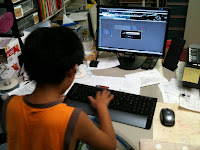
Fool on his classmates for not turning up! We had a ball! Thanks Yuta - goo job :)

Friday, 23 July 2010


Thursday, 9 July 2009
CALL - some interactive stuff
 One of my lads has been struggling to keep up with his mates, and I was getting worried he was starting to feel the heat - they've started taking the Mickey...so I wanted to change tack a bit but still concentrate on our target vocab - colours.
In doing so, I didn't want to be 'just colouring', which this can often descend into. Instead, used a good resource (Scholastic's vocab series is excellent) which had a dozen or so line drawings of national flags (European). First task was to colour by numbers (ie read the names of the colours) and to predict which belonged to the list of countries in a list below.
To check, we went to a database of flags and then searched by
 choosing colours, patterns & designs, and selecting the number of stripes etc. Lots of good speculation and genuine 'need to know'. Some of them they knew, some were 'new', and some we right but wrong - Japanese names for some countries are from that country's language (eg 'Deutz') rather than our English word (Germany). On top of that, some are hard to read - Germany again, or Portugal.
As you can see, we had a good time, and learnt something a bit different into the bargain. And, my struggler was in his element :)
Subscribe to:
Posts (Atom)
Luna QR
Point your mobile phone at this http://www.at-ml.jp/59329 |